
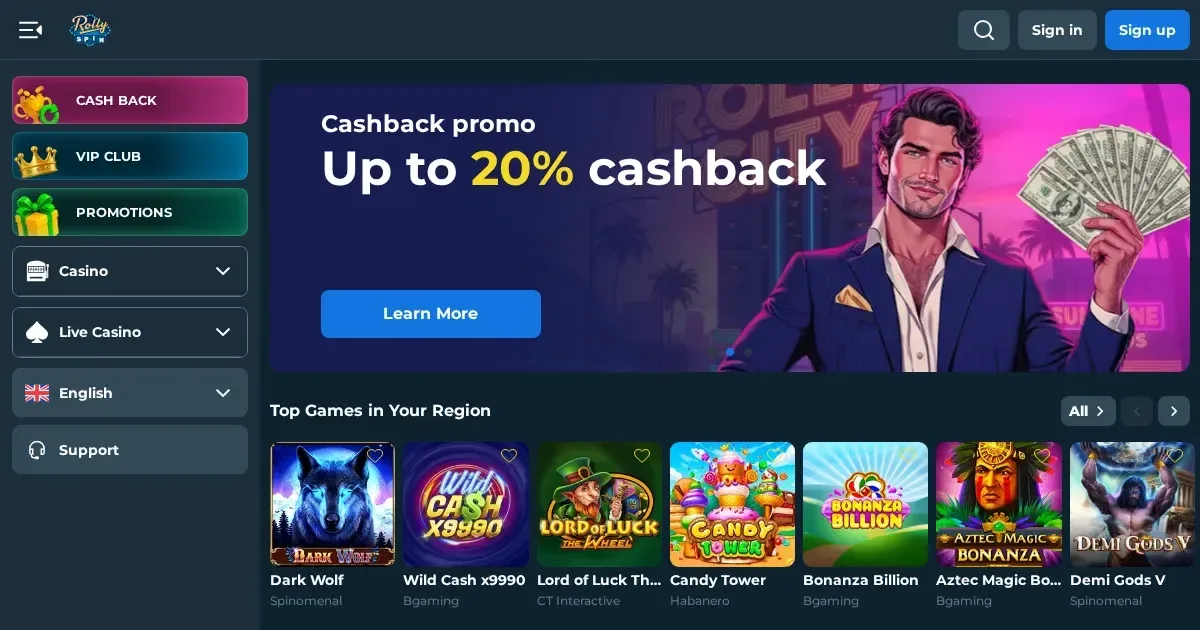
Rolly Spin runs entirely in a mobile browser, with no native app required. You can reach the site from any smartphone or tablet, log in with the same credentials you use on desktop, and access the game library, cashier and support without installing anything.
Playing from a phone: how it works at Rolly Spin
We operate a browser-based platform that adjusts to the screen in front of it. Open Safari, Chrome or Firefox on your device, navigate to the site, and everything scales to fit.
The interface stays recognisable across devices. Your balance, the menu and the game grid all shrink to mobile dimensions, but the layout logic and the login process remain identical. A session started on a laptop can be continued on a phone without logging out and back in.
No separate mobile account exists. The username and password you set at registration work everywhere, and your transaction history, bonus status and verification documents are shared across every screen you use.
What the operator actually provides for mobile players
Rolly Spin gives access to the full game catalogue on mobile browsers. Slots, live dealer tables, blackjack and roulette all load on a phone, though the experience depends on the provider: some studios optimise their games for touch, while others were built for desktop and work less smoothly when tapped.
The cashier is fully functional on mobile. You can make deposits, request withdrawals, and check pending transactions from the same payment-methods screen you see on a computer. Cryptocurrency deposits and e-wallet withdrawals process at the same speed regardless of the device.
Verification documents can be uploaded directly from a phone. The KYC section accepts photos of your passport, ID card, proof of address and payment screenshots taken with your device's camera, though clarity matters: a blurred photo of a bank statement will be rejected just as it would be on desktop.
Support channels work identically on mobile. The live chat widget opens over the page you were viewing, and email responses to [email protected] arrive in your phone's inbox without delay.
The parts that work well on a small screen
Single-hand navigation is straightforward once you know where things are. The hamburger menu at the top left unfolds the game categories, the cashier and the account settings, and most actions take one or two taps.
Live dealer games translate well to mobile. The video feed fills the screen in landscape mode, and the betting interface sits below it in a way that does not obstruct the table or the dealer. Roulette and blackjack are easier to follow on a phone than slots with dense paytables.
Deposits complete quickly. Payment forms auto-fill where your browser supports it, and cryptocurrency wallet apps link directly when you tap the deposit address.
The parts that do not: where mobile is worse than desktop
Game previews are minimal. On a laptop you can hover over a slot thumbnail to see a short gameplay clip; on a phone you tap the title, wait for it to load, and discover whether you like it only after it opens full-screen.
The terms and conditions pages are harder to read on a small display. Bonus wagering tables, excluded games lists and the withdrawal limits grid all require zooming and horizontal scrolling, which makes comparing figures a slower process than it is on a wide monitor.
Some providers' slots do not scale cleanly. Buttons cluster at the bottom of the screen, and paytable text occasionally runs off the edge. This is a provider issue rather than something we control, but it affects the experience regardless.
Battery drain is real. Live games with video streams and slots with heavy animation will empty a phone faster than browsing or checking email. Expect an hour of continuous play to cost 20–30% of your charge, more if the screen brightness is high.
Battery, connection and session length: practical checks
Before opening a game on mobile, confirm you are on a stable connection. A dropped 4G signal mid-spin does not void the bet – the server records the outcome and it appears in your history – but you will not see the result until you reconnect, which can be unsettling when real money is involved.
Use Wi-Fi for deposits and withdrawals. Mobile data works, but a weak signal can time out a payment form halfway through, and retrying with the same details sometimes triggers a duplicate-transaction block.
Sign out when you finish, especially on a shared device. A phone left unlocked with an active session is an open cashier. Rolly Spin does not enforce automatic logouts after inactivity, so closing the tab is not enough – tap the account menu and choose "Log out".
Set deposit limits before the session if you tend to play longer on a phone than you intended. The limit controls are in the account settings under Responsible Gambling, and they apply across all devices once saved.
Responsible gambling on mobile
A device you carry everywhere makes it easier to play impulsively. We offer self-exclusion for periods up to 12 months, requested via email, and you can disable promotional messages in your account settings to reduce reminders.
If gambling ever stops feeling like entertainment, free and confidential support is available 24/7 from GamCare at gamcare.org.uk or 0808 8020 133. BeGambleAware (begambleaware.org) offers resources for recognising problem gambling, and GamStop (gamstop.co.uk) provides free self-exclusion across licensed UK sites.
Blocking software such as Gamban (gamban.com) and BetBlocker (betblocker.org) can prevent access to gambling sites on your phone entirely. If a minor uses your device, parental-control tools such as Net Nanny or Qustodio add another layer of protection.
This site is for players aged 18 and over (18+). Support with gambling is free and confidential at BeGambleAware.org.